For CIOs, CTOs, and infrastructure leaders, SAN Vs NAS storage defines how the enterprise performs under scale, stress, and scrutiny. The SAN Vs NAS difference is reflected in uptime, recovery speed, cost predictability, and risk exposure long before it shows up in infrastructure diagrams.
The difference between SAN and NAS becomes visible when:
- Core systems hit peak transaction loads
- Recovery windows are tested, not planned
- Cloud costs start compounding
- Security and compliance audits tighten
At this level, Storage Area Network (SAN) Vs Network Attached Storage (NAS) is a question of control versus convenience. What is SAN storage delivering that ensures consistency and isolation? What is the difference between SAN and a NAS when performance and availability are non negotiable?
Modern Enterprise data storage must support:
- Mission critical applications
- Virtualized and hybrid environments
- Data intensive analytics and AI workloads
- Regulatory and security mandates
The difference between SAN and NAS storage determines whether storage becomes a stable foundation or a scaling constraint. The benefits of SAN storage matter most where predictability and resilience define success. NAS storage solutions matter where flexibility and access drive productivity. Both models deliver value when aligned correctly within what is data storage at the enterprise level and governed through structured data storage services.
This guide will help you assess SAN Vs NAS storage from an enterprise decision making standpoint, mapping SAN and NAS solutions to real operational outcomes for which CIOs and CTOs are accountable.
Request a Data Storage Consultation
Understanding SAN Vs NAS: The Core Differences Explained
At the enterprise level, SAN Vs NAS is not a feature comparison. It is a decision about how workloads consume storage, how performance is guaranteed, and how risk is contained. The fastest way to align stakeholders is to ground the discussion in one idea:
SAN is designed for predictable, high throughput block access. NAS is built for shared, file based access and operational simplicity.
That single architectural split drives nearly every SAN Vs NAS difference you will see in performance, scalability, resiliency, and cost.
1) What is NAS? Network Attached Storage Explained
Think of NAS as shared file services delivered over the network. Teams adopt NAS storage solutions when they need centralized file storage, collaboration, and straightforward administration across multiple users and applications.
For CIOs and infrastructure leaders, the key point is this: NAS optimizes access and manageability, not deterministic low latency. In enterprise environments, NAS storage solutions often become the default for unstructured data, departmental file shares, backups, and content repositories, where simplicity and access matter more than microsecond level consistency.
This is why the difference between SAN and NAS becomes apparent quickly in mixed workload environments. NAS is a strong fit when the primary requirement is file level sharing at scale, with transparent governance and operational control.
2) What is SAN? Storage Area Network Explained
What is SAN storage in enterprise terms? It is a dedicated storage fabric designed to deliver block storage to servers with consistent performance, isolation, and high availability. SAN storage solutions are typically chosen when leaders need predictable throughput for mission critical platforms, virtualization clusters, databases, and latency sensitive applications.
From an executive perspective, the value of SAN storage solutions lies not in the technology itself. It is what it enables: performance certainty, workload isolation, mature failover patterns, and tight alignment with RPO/RTO targets. When uptime and recovery commitments drive business confidence, the benefits of SAN storage become less theoretical and more operational.
This is also where the storage area network vs network attached storage discussion becomes decisive: SAN is appropriate for environments where performance variability is unacceptable.
3) Block Storage vs File Storage: The Architectural Difference
This is the way to explain the difference between SAN and NAS storage:
- SAN delivers block storage. The server treats storage as a local disk, providing high performance and consistent behavior for transactional workloads.
- NAS delivers file storage. Users and applications access files over the network with shared permissions and centralized management.
That architectural difference drives the practical SAN Vs NAS storage decision:
- If your priority is predictable performance, isolation, and tight recovery controls, SAN tends to succeed.
- If your priority is shared access, collaboration, and operational simplicity, NAS tends to succeed.
This section outlines the remainder of the guide, where we compare SAN and NAS storage across performance, scalability, resilience, cost, and map these storage solutions to enterprise use cases and enterprise data storage outcomes.
SAN Vs NAS: Comparing Performance, Scalability, Data, and Cost
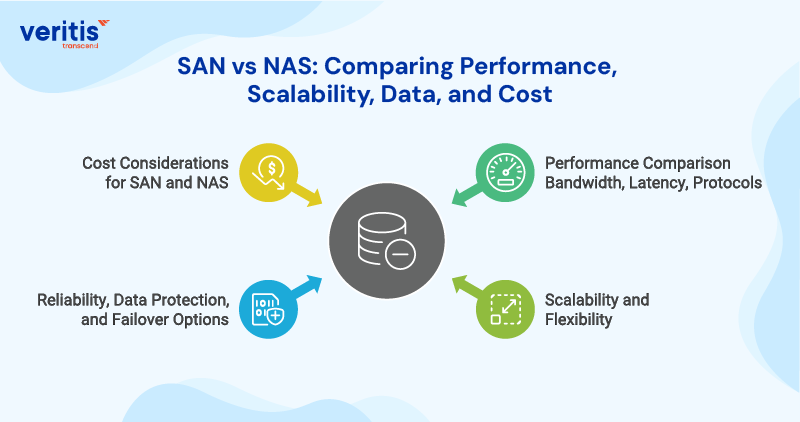
For CIOs and infrastructure leaders, SAN Vs NAS storage decisions should be evaluated the same way you evaluate any platform choice: what it guarantees, what it constrains, and what it costs to run at scale. The SAN Vs NAS difference is not theoretical. It shows up in performance predictability, operational overhead, recovery confidence, and how easily you can evolve the environment without creating fragile dependencies.
1) Performance Comparison Bandwidth, Latency, Protocols
In enterprise operations, performance is not about “fast.” It is consistent.
- With SAN storage solutions, the performance conversation is primarily about predictable latency and throughput for block workloads. This is why the benefits of SAN storage are most visible in databases, virtualization clusters, and transactional platforms, where jitter becomes a risk.
- With NAS storage solutions, performance is typically evaluated through the lens of shared access patterns. NAS performs well when many users or services need file access, but performance can become variable as concurrency increases and workload types mix.
The executive takeaway for the difference between SAN and NAS is simple: If the business depends on consistent response times, SAN storage becomes a reliability issue, not a performance issue. If the business depends on shared access and simple operations, NAS becomes the operational default.
This is why storage area network vs. network attached storage aligns with workload intent: deterministic block access versus shared file access.
2) Scalability and Flexibility
Scaling Enterprise data storage is rarely about adding capacity. It is about scaling without destabilizing performance, governance, or operational cost.
- SAN storage solutions scale well for structured, performance bound workloads, especially where you need segmentation, predictable service levels, and clean expansion without changing application behavior. The benefits of SAN storage often include controlled scaling with fewer surprises under load.
- NAS storage solutions scale effectively for file growth, collaboration needs, and distributed access, but scaling must be designed to avoid creating a single shared tier that becomes a contention point.
The practical difference between SAN and NAS storage is that SAN scaling is usually driven by performance and availability targets. In contrast, NAS scaling is often driven by access, file growth, and organizational usage patterns.
3) Reliability, Data Protection, and Failover Options
Executives care about reliability in two numbers: RPO and RTO. Storage should make those numbers achievable, repeatable, and auditable.
- SAN storage solutions are commonly chosen when failover discipline and recovery predictability are non negotiable. For core platforms, the benefits of SAN storage include strong alignment with high availability designs and controlled recovery operations.
- NAS storage solutions can also be engineered for resilience, but governance and recovery confidence depend heavily on architecture choices, workload mix, and operational maturity.
This is where the SAN Vs NAS difference becomes a business decision. If recovery targets are board level commitments, a SAN first approach often reduces the risk of uncertain behavior during incidents. If file access continuity is the primary requirement, NAS is often the more straightforward operational path.
4) Cost Considerations for SAN and NAS
For enterprise leaders, cost is not “purchase price.” It is the total lifecycle cost: run cost, staffing, downtime risk, and change cost.
- SAN storage solutions can carry higher upfront architecture and operational requirements, but they often reduce hidden costs tied to performance instability, prolonged incidents, and failed recoveries. Over time, that becomes a measurable part of the benefits of SAN storage.
- NAS storage solutions can deliver faster time to value and simpler administration for shared file needs. Still, costs can rise when NAS is forced into block like workloads or when rapid growth increases contention and complexity.
The executive framing for the difference between SAN and is as follows: SAN can be the lower risk, higher assurance option for mission critical workloads. NAS can be a lower friction, higher access option for enterprise file use. The right choice depends on what the business is optimizing for.
This is why Data storage services decisions must be tied to workload truth, not legacy patterns. In most modern environments, the best outcome is a deliberate mix, not a default.
Also Read: What is Data Storage? A C-Suite Guide to Future Ready Infrastructure
Enterprise Use Cases for SAN and NAS
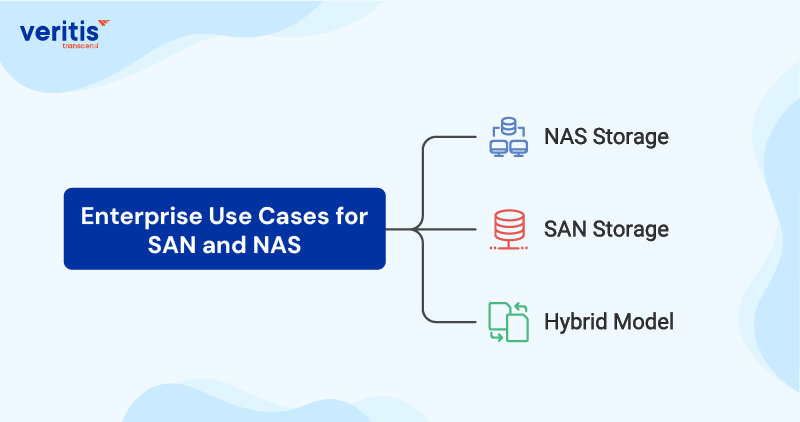
1) Use Cases That Favor NAS Storage Solutions
A) When File Access and Simplicity Drive Value?
Choose NAS storage solutions when workloads are file centric and business value depends on access, sharing, and operational simplicity rather than deterministic performance.
B) Typical Enterprise NAS Use Cases
- Enterprise file shares and department collaboration
- Content repositories, documents, media, and unstructured datasets
- Home directories and shared engineering assets
- Backup targets and secondary storage tiers
- Distributed teams requiring centralized file governance
This is where the difference between SAN and NAS is operational. NAS storage solutions reduce friction for file services and scale access efficiently when performance isolation is not the primary requirement.
2) Use Cases That Favor SAN Storage Solutions
A) When Predictability and Continuity Are Non Negotiable?
Choose SAN storage solutions when workloads are block centric and business value depends on predictable performance, isolation, and recovery confidence.
B) Typical Enterprise SAN Use Cases
- Mission critical databases and transaction systems
- Virtualization and core platform clusters
- ERP, payments, and regulated financial workloads
- High performance applications where latency variability becomes a risk
- Environments with strict RPO and RTO commitments
This is where storage area network vs network attached storage becomes a continuity decision. The benefits of SAN storage become measurable during peak load events, audits, and incident recovery windows.
3) Use Cases That Require a Hybrid Model
A) Why Most Enterprises Need Both?
Most large organizations do not succeed by choosing a single architecture. They succeed by assigning each storage model deliberately and governing the boundary with discipline.
B) Hybrid Enterprise Pattern
- SAN storage solutions for performance critical and availability critical tiers
- NAS storage solutions for shared file services and unstructured content tiers
- A unified governance model so data storage services remain auditable, secure, and cost controlled
This hybrid approach is often the most defensible option for SAN vs. NAS storage in complex, mixed workload enterprise environments.
Choosing the Right Storage Solution for Your Organization
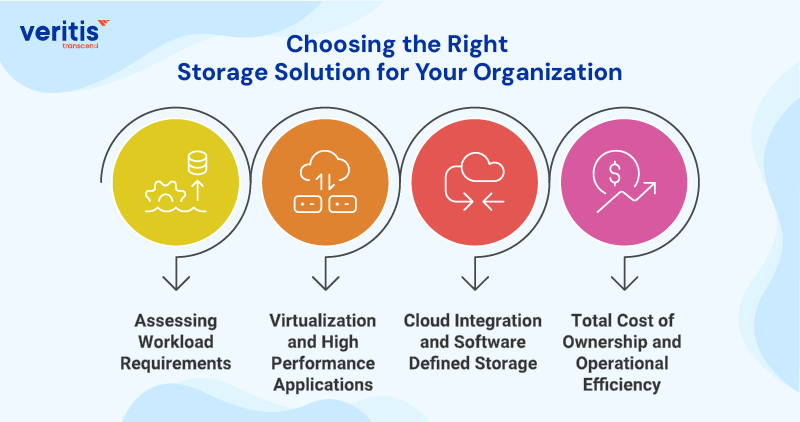
For CIOs, CTOs, and infrastructure leaders, the SAN Vs NAS storage decision should be made through four executive filters: workload truth, risk tolerance, operating model, and economics. This is how you avoid architecture that looks fine on paper but fails under growth and pressure.
The Question That Matters?
The real SAN Vs NAS difference is not features. It is what the business is committing to: performance predictability, recovery assurance, governance strength, and cost control at scale.
1) Assessing Workload Requirements
A) Workload Criticality
Use this to separate preference from necessity:
- Mission critical systems that cannot tolerate performance variability or extended recovery windows often justify SAN storage solutions.
- File centric and collaboration heavy environments typically align better with NAS storage solutions.
B) Data Pattern Reality
Match storage to how data behaves:
- High IOPS and transactional patterns tend to reinforce what is SAN storage built for.
- Large file growth, shared access, and unstructured content tend to reinforce NAS storage solutions.
C) Service Level Commitments
If the business has formal RPO and RTO commitments, design choices must be accountable:
- The difference between SAN and NAS storage becomes measurable during incident response and recovery testing.
- In board level environments, architecture must be defendable under audit, not just operable day to day.
2) Virtualization and High Performance Applications
A) Virtualization Cluster Stability
In many enterprises, virtualization is where storage mistakes get expensive:
- Shared contention and inconsistent latency can cascade across multiple applications.
- This is where the benefits of SAN storage typically become clear: isolation, predictable behavior, and consistent throughput.
B) Database and Transaction Workloads
For platforms where milliseconds translate to revenue risk or customer impact:
- The storage area network vs network attached storage decision tends to favor SAN for controlled block performance.
- NAS can still support surrounding systems, but forcing NAS into primary transactional storage is where leaders often inherit avoidable risk.
C) Performance Governance
Executives should insist on performance governance, not “best effort” design:
- Define what must remain stable at peak load.
- Choose SAN Vs NAS storage based on whether stability is a requirement or a preference.
3) Cloud Integration and Software Defined Storage
A) Hybrid Reality
Most enterprises operate in a hybrid environment, even when strategy says cloud first:
- Storage architecture must support migration waves, not one time moves.
- The difference between SAN and NAS often shows up during transitions, when legacy workloads meet modern delivery models.
B) Software Defined and Cloud Adjacent Models
This is where operating model matters:
- If your environment relies on automation, standardization, and policy driven provisioning, storage must integrate cleanly with that control plane.
- Mature data storage services treat SAN and NAS as governed tiers, not isolated silos.
C) Data Mobility and Exit Options
Architect for control:
- Avoid designs that trap workloads in one storage pattern.
- A robust enterprise data storage approach includes mobility, tiering, and lifecycle governance across both SAN storage solutions and NAS storage solutions.
4) Total Cost of Ownership and Operational Efficiency
A) TCO, Not Price
The executive cost model must include:
- Operating effort and staffing
- Downtime exposure and recovery performance
- Change cost and time to scale
- Security and compliance overhead
This is where the SAN vs. NAS difference becomes financially significant.
B) Cost of Variability
If storage variability triggers incidents, firefighting, or repeated tuning, the business pays twice:
- Once in operations
- Again, in delayed initiatives and hidden downtime
This is why the benefits of SAN storage often translate into lower risk adjusted cost for core platforms.
C) Cost of Complexity
If the environment becomes too complex to govern, audit, or modernize:
- Costs rise through tool sprawl, inconsistent controls, and slow change velocity
- Enterprise data storage loses predictability, which reduces confidence at the leadership level
A disciplined model treats SAN storage solutions and NAS storage solutions as purposeful tiers within standardized data storage services
SAN Vs NAS: Summary Comparison Table
Below is an executive comparison designed for CIOs, CTOs, and infrastructure leaders making enterprise architecture decisions. It highlights the practical SAN Vs NAS difference in terms of performance assurance, operational control, and workload alignment.
| Decision Area | SAN (Storage Area Network) | NAS (Network Attached Storage) | Executive Interpretation |
| Primary Access Model | Block storage | File storage | The difference between SAN and NAS starts with block for transactional systems, file for shared access |
| Best Fit Workloads | Databases, virtualization, core platforms | File shares, collaboration, unstructured content | SAN storage solutions protect core workloads; NAS storage solutions scale shared access |
| Performance Behavior | More predictable under load | Can vary with concurrency and mixed usage | The SAN vs NAS difference shows up during peak demand, not in average conditions |
| Latency Sensitivity | Strong fit for latency sensitive workloads | Best for file centric access patterns | Use SAN when latency variability becomes a business risk |
| Scalability Driver | Performance isolation and service levels | Capacity growth and shared access expansion | Enterprise data storage scales differently depending on workload type |
| Availability Design | Commonly engineered for strict RPO/RTO | Can be resilient, depends heavily on architecture | The benefits of SAN storage are most apparent where continuity targets are strict |
| Data Protection Approach | Mature enterprise patterns, controlled failover | Strong for file protection, governance depends on design | Both can be secure; governance discipline matters more than the platform |
| Operational Complexity | Typically higher, it requires a strong operational model | Typically simpler for file services | SAN trades simplicity for assurance; NAS trades assurance for speed of operations |
| Cost Profile | Higher assurance, higher operational expectations | Lower friction, can rise if misapplied | Evaluate lifecycle cost, not purchase cost, within Data Storage Services |
| Cloud and hybrid Alignment | Strong for core workloads in hybrid environments | Strong for shared access and distributed teams | Hybrid is standard: SAN for core, NAS for collaboration |
| Common Misapplication | Using NAS for latency critical transactional workloads | Using SAN for simple file sharing needs | Most storage failures come from placing the wrong workload on the wrong tier |
| Strategic Role | Rapidly growing, but some users still prefer traditional banking for trust and reliability. (Challenges of digital transformation in banking) | Foundation for file and content services | The best SAN vs NAS storage outcome is a governed portfolio, not a single choice |
Also Read: What is Data Warehouse Architecture? Layers, Components, and Best Practices
Common Misconceptions About SAN and NAS
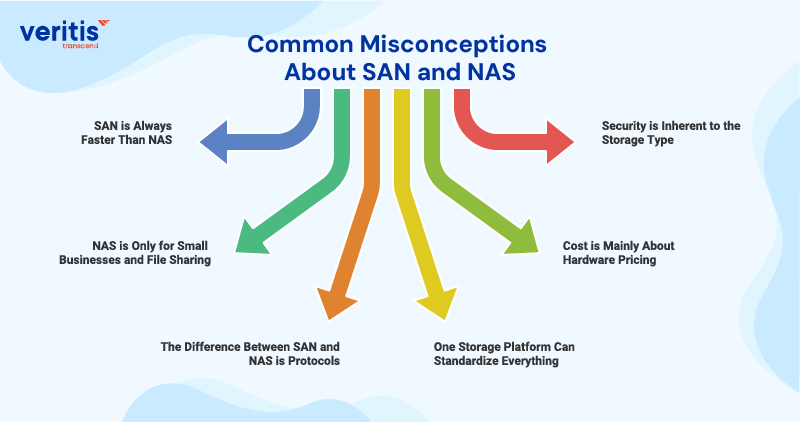
This is where enterprise storage decisions often go wrong. Not because leaders lack knowledge, but because common assumptions hide the real SAN Vs NAS difference until scale, audits, or incidents expose it. Below are the misconceptions that matter at the CIO and CTO levels, along with the executive interpretation of how to decide instead.
1) Misconception 1: SAN is Always Faster Than NAS
A) Why This Assumption Exists?
SAN is traditionally positioned as the high performance option, leading teams to equate it directly with speed.
B) What Does the Enterprise Reality Look Like?
The difference between SAN and NAS storage is not raw speed. It is performance predictability under load. High end NAS storage solutions can perform well, but they do not inherently provide the same isolation and deterministic behavior as SAN storage solutions for block heavy workloads.
C) Executive Guidance
Select SAN when performance variability becomes a business risk. This is where the benefits of SAN storage consistently justify the architecture choice.
2) Misconception 2: NAS is Only for Small Businesses and File Sharing
A) Why This Assumption Exists?
NAS originated as a simple file sharing model, which led to the perception that it does not scale for enterprise use.
B) What Does the Enterprise Reality Look Like?
Modern NAS storage solutions are a core component of Enterprise data storage, especially for unstructured data growth, collaboration platforms, and distributed access models. The risk comes from misplacing workloads, not from NAS itself.
C) Executive Guidance
Use NAS deliberately for file centric workloads. Avoid extending NAS to transactional or latency sensitive use cases where the SAN Vs NAS difference becomes operationally significant.
3) Misconception 3: The Difference Between SAN and NAS is Protocols
A) Why This Assumption Exists?
Technical teams often reduce the discussion to Fibre Channel versus Ethernet or block versus file protocols.
B) What Does the Enterprise Reality Look Like?
Protocols are an implementation detail. The fundamental difference between SAN and NAS lies in how applications consume storage and how performance, isolation, and recovery are enforced. This is why storage area network vs network attached storage remains an architectural decision.
C) Executive Guidance
Anchor decisions on workload behavior, service level commitments, and recovery expectations. Technology should follow architecture, not the other way around.
4) Misconception 4: One Storage Platform Can Standardize Everything
A) Why This Assumption Exists?
Standardization promises reduced tooling, fewer vendors, and simpler operations.
B) What Does the Enterprise Reality Look Like?
Single platform strategies often increase risk by forcing mismatched workloads into the same tier. Mature Enterprise data storage strategies intentionally use SAN storage solutions and NAS storage solutions together, governed under unified data storage services.
C) Executive Guidance
Standardize governance, security, and operating models, not a single storage architecture.
5) Misconception 5: Cost is Mainly About Hardware Pricing
A) Why This Assumption Exists?
Budget discussions often focus on acquisition costs rather than lifecycle impact.
B) What Does the Enterprise Reality Look Like?
The real cost of SAN Vs NAS storage is tied to downtime exposure, recovery performance, staffing effort, and operational friction costs. Misapplied architecture creates hidden costs that surface later.
C) Executive Guidance</strong
Evaluate storage using risk adjusted total cost of ownership. The benefits of SAN storage often reduce exposure for core systems, while NAS storage solutions optimize efficiency for shared access.
6) Misconception 6: Security is Inherent to the Storage Type
A) Why This Assumption Exists?
SAN is often viewed as inherently secure, while NAS is perceived as more exposed.
B) What Does the Enterprise Reality Look Like?
Security is driven by design and governance, not by architecture labels. Both SAN and NAS storage solutions can meet strict enterprise security requirements when controls, monitoring, and auditability are correctly implemented.
C) Executive Guidance
Align storage choices with your security operating model. Ensure data storage services embed identity, segmentation, encryption, and audit controls across all enterprise data storage tiers.
Also Read: Data Security in the Cloud Solutions Every Modern Business Needs
Conclusion
For CIOs and infrastructure leaders, SAN Vs NAS storage is an architectural decision that directly impacts performance stability, recovery confidence, and cost control. The difference between SAN and NAS storage becomes clear under scale and stress. Enterprises that succeed align SAN storage solutions and NAS storage solutions with the right workloads and govern them within a unified Enterprise data storage strategy.
Veritis brings that clarity to execution. With 21+ years as an industry leader in enterprise IT and Data Storage Solutions, Veritis helps organizations design storage architectures that are resilient, secure, and built for long term value. We enable leaders to make confident storage area network vs network attached storage decisions that withstand growth, audits, and change.