As ServiceNow advances its modern process automation capabilities, organizations with years of automation built in the legacy Workflow Editor face an important modernization priority. ServiceNow identifies Workflow Studio as its modern process automation environment and encourages organizations to use it for new automation capabilities and enhancements.
However, for enterprises managing dozens or hundreds of existing workflows, modernization can require significant analysis, development, testing, and validation.
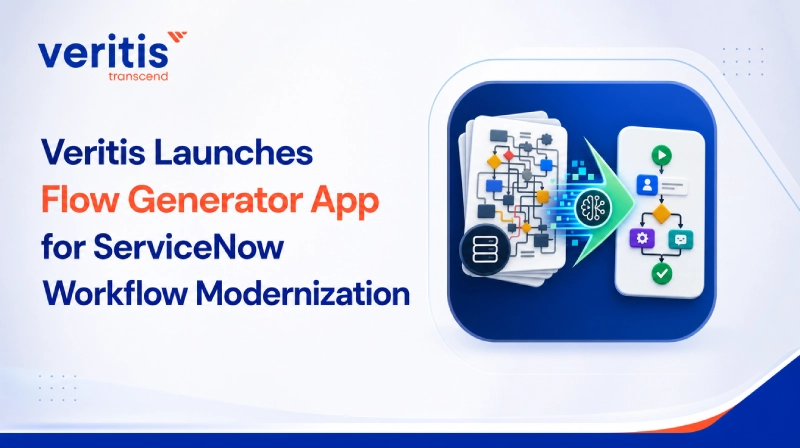
To address this challenge, Veritis has launched Flow Generator, a ServiceNow app designed to simplify and accelerate legacy Workflow to Flow modernization.
Flow Generator helps ServiceNow teams understand existing workflows, identify migration complexity and dependencies, generate customized prompts for Now Assist, accelerate Flow creation in Workflow Studio, and track modernization progress.
Modernizing Legacy Workflows More Efficiently
Legacy workflows can contain years of accumulated business logic, including conditions, branches, approvals, notifications, waits, scripts, Script Includes, integrations, and other dependencies.
Before converting them, ServiceNow teams need to understand how each workflow operates, what custom logic it contains, and which areas require additional attention during migration.
Performing this analysis manually across a large workflow portfolio can consume considerable development time.
Flow Generator provides a structured starting point for modernization by analyzing existing workflows and making their architecture, dependencies, complexity, and migration requirements easier to understand.
Instead of starting each migration from scratch, ServiceNow specialists can focus more of their time on business rule validation, custom logic, testing, and optimization.
Explore ServiceNow Flow Generator
What is the Flow Generator App?
Flow Generator is a Veritis developed ServiceNow app that helps organizations analyze, assess, and accelerate the transformation of legacy ServiceNow workflows into modern Flows.
The app brings together workflow discovery, visualization, dependency analysis, migration assessment, AI assisted generation, governance, and consolidation.
Flow Generator supports workflow analysis across key ServiceNow areas demonstrated for:
- Incident
- Change Request
- Problem
- Request Item
Teams can review workflow structure, usage, complexity, dependencies, and migration considerations before beginning conversion.
Key Capabilities of Flow Generator
1) Visual Workflow Analysis
Flow Generator analyzes legacy workflows and generates a top down architectural view of their logic.
Teams can review:
- Triggers and activities
- Conditions and branches
- Decision paths
- Wait conditions
- Notifications and approvals
- Scripts and related dependencies
This gives developers and architects a clearer understanding of the existing process before migration begins.
2) Script and Dependency Identification
Custom scripting can significantly influence migration effort.
Flow Generator identifies script based activities and supporting dependencies, including Script Includes where detectable, helping teams surface custom logic earlier in the modernization process.
3) Complexity and Migration Risk Assessment
Not every workflow requires the same migration effort.
Flow Generator evaluates factors such as:
- Activity volume
- Branches and joins
- Loops and path depth
- Scripts and commands
- Waits and timers
- Nested dependencies
- Integration related activities
- Custom activities
These insights help organizations prioritize workflows based on complexity and migration risk.
4) Customized Now Assist Prompt Generation
Flow Generator converts its analysis of an existing workflow into a structured prompt for Now Assist. The prompt captures important elements such as the workflow trigger, activities, conditions, sequence, and flow logic.
Users can review and modify the generated prompt before proceeding. The app can also compare prompt options against the source workflow to help determine which representation provides the stronger starting point for migration.
5) Accelerated Flow Creation
Once reviewed, the generated prompt can support creation of the target Flow in Workflow Studio.
The resulting Flow can include recognizable trigger logic, conditions, actions, waits, notifications, approvals, and decision paths where supported.
When custom legacy functionality cannot be directly mapped, placeholder steps can highlight areas requiring developer attention.
This enables Flow Generator to accelerate development while keeping ServiceNow specialists involved in validation and final implementation.
Migration Governance and Visibility
Creating a Flow is only one part of a large ServiceNow modernization initiative.
Organizations also need visibility into questions such as:
- Which legacy workflows have been assessed?
- Which workflows have been converted?
- Which new Flows correspond to specific legacy workflows?
- Which converted Flows remain in draft?
- Which Flows are active?
- How much of the workflow portfolio remains to be modernized?
Flow Generator includes governance capabilities designed to provide this visibility.
The app can help map legacy workflows to corresponding Flows and provide portfolio level conversion information, giving teams greater traceability throughout the modernization process.
This extends the value of Flow Generator beyond individual developers to ServiceNow platform owners, architects, modernization teams, and governance leaders responsible for the broader transformation program.
Identify Workflow Consolidation Opportunities
Large ServiceNow environments may contain multiple workflows created over time to address similar requirements.
Migrating every workflow independently can carry unnecessary duplication into the modern environment.
Flow Generator includes bulk workflow analysis that compares workflows based on factors such as:
- Activity similarity
- Sequence
- Structure
- Workflow patterns
- Source tables
- Trigger conditions
This helps teams identify workflows that may be suitable for consolidation, opportunities to reuse common logic, and cases where separate Flows should remain.
Organizations can therefore use modernization as an opportunity to simplify their automation architecture rather than simply recreate existing complexity.
Get Started with ServiceNow Flow Generator
Potential Business Impact
By accelerating workflow analysis, documentation, prompt preparation, and Flow development, Flow Generator is designed to reduce the manual effort associated with Workflow to Flow modernization.
Based on Veritis internal estimates and migration modeling, organizations may have the potential to achieve:
- Up to 75% fewer resources for selected migration activities
- 80% to 85% reduction in hours spent analyzing and converting workflows
- 75% to 90% faster project timelines
- 60% to 80% lower project costs
- More than 50% reduction in overall Workflow to Flow conversion time
Actual results will vary depending on workflow volume, complexity, custom scripting, integrations, testing requirements, ServiceNow configuration, and implementation approach. These figures represent modeled potential outcomes and are not guaranteed results.
What Could the Business Case Look Like?
Consider an illustrative organization preparing to modernize 250 legacy ServiceNow workflows.
Under a modeled migration scenario, the organization could potentially realize approximately:
- $750,000 in avoided migration labor
- $250,000 in first year maintenance savings
- $100,000 in avoided incident and operational risk costs
- $950,000 in net first year value
- 633% modeled first year ROI
- Approximately 1.6 months modeled payback
These figures are illustrative estimates and do not represent guaranteed outcomes from ServiceNow, Veritis, or the Flow Generator app.
Organizations should develop their own business case using their actual workflow portfolio, migration effort, labor rates, application costs, implementation requirements, and operational risk profile.
Human Expertise Remains Essential
Flow Generator is designed to accelerate ServiceNow modernization without removing the controls and technical expertise required for enterprise automation.
Generated Flows should still be reviewed by qualified ServiceNow specialists, particularly when the original workflow includes:
- Custom scripts
- Integrations
- Complex approvals
- Security sensitive actions
- Exception handling
- Business specific logic
- Custom activities
- Dependencies on other workflows or systems
Testing and validation remain essential before a migrated Flow is activated.
This combination of intelligent automation and ServiceNow expertise allows teams to accelerate modernization while maintaining appropriate technical and business oversight.
Accelerating ServiceNow Modernization With Veritis
Flow Generator by Veritis provides organizations with a more structured way to understand, prioritize, simplify, and modernize legacy ServiceNow workflows.
By combining workflow visualization, dependency analysis, complexity and risk assessment, Now Assist prompt generation, Flow creation support, migration governance, and consolidation analysis, the app helps ServiceNow teams reduce manual effort and accelerate their transition to modern Workflow Studio automation.
Explore Flow Generator by Veritis
Explore how the Flow Generator app can help your organization assess legacy workflows, identify migration complexity, accelerate Flow creation, and establish a more efficient path to ServiceNow Workflow Studio.