Benefits of Azure DevOps: A Strategic Guide for Enterprise Leaders

Benefits of Azure DevOps_ A Strategic Guide for Enterprise Leaders

Software delivery speed is now a competitive differentiator. Enterprises that ship faster, break less, and recover quicker consistently outperform those that do not. That is precisely why the benefits of Azure DevOps have moved from a developer conversation to a boardroom one. This guide breaks down what the platform does, how its core services work together, and the concrete advantages it delivers to enterprise organizations.

What is Azure DevOps?

What is Azure DevOps? A question many enterprise leaders ask when evaluating their DevOps toolchain. Azure DevOps is a Microsoft SaaS platform that manages the entire software development life cycle, from planning and coding to testing, deployment, and monitoring. Unlike point solutions, it provides a unified environment where development, operations, and quality assurance teams collaborate in one place.

Three characteristics set it apart from competing platforms.

1) Flexible: Each service can be adopted independently or as a suite, so teams integrate Azure DevOps around their existing tools rather than replacing everything at once.

2) Platform Independent: Azure DevOps supports Linux, Windows, and macOS, along with languages including .NET, Java, Python, PHP, C, C++, and Node.js.

3) Cloud Independent: Its CI/CD engine connects to Azure, AWS, and Google Cloud Platform equally, so vendor lock in is not a constraint.

Azure DevOps traces its lineage to Visual Studio Team System, released in 2006, and relaunched under its current name in October 2018. More than 80,000 internal Microsoft users rely on it daily, underscoring the platform’s maturity and enterprise readiness.

Talk to Our Azure DevOps Expert

Core Services: How Azure DevOps Works as a System

Core Services_ How Azure DevOps Works as a System

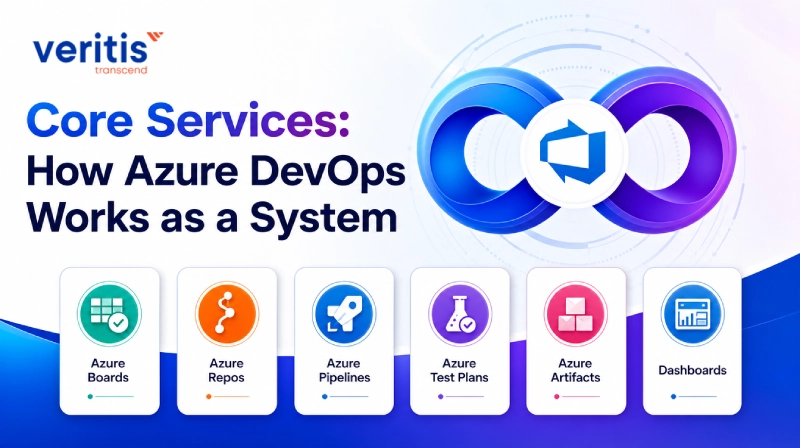
Azure DevOps is not a single application. It is a set of integrated services that span the full SDLC. Understanding each one is essential to appreciating how the platform delivers its benefits at scale.

1) Azure Boards

Azure Boards provides agile planning, work item tracking, reporting, and visualization. It natively supports Scrum, Kanban, and Scrumban, allowing teams to choose the methodology that fits their context. Customizable dashboards with integrated reporting scale from a small squad to a program spanning hundreds of engineers. Executives gain real time visibility into delivery status without chasing status updates.

2) Azure Repos

Azure Repos offers privately hosted Git repositories alongside Team Foundation Version Control (TFVC) for teams that prefer a centralized model. Development teams use version control tools to manage code, track changes across time and versions, and review pull requests with traceability directly linked to work items. Git is the default choice for most modern teams; TFVC remains available for organizations migrating from legacy environments.

3) Azure Pipelines

Azure Pipelines delivers Continuous Integration and Continuous Delivery across any language, platform, and cloud. It supports container and Kubernetes based workflows and integrates with third party infrastructure tools such as Terraform, Ansible, Chef, and Puppet. Engineers define builds, tests, and release procedures in code, and the platform automates execution.

4) Azure Test Plans

Azure Test Plans supports manual, exploratory, and automated continuous testing. Teams gain end to end traceability, criteria based test selection, real time charts showing test activity, and workflow customization. Browser based and simple to operate, Test Plans reduces the gap between development velocity and quality assurance throughput.

5) Azure Artifacts

Azure Artifacts provides integrated package management, supporting feeds from public or private sources for NuGet, Maven, npm, and Python. Teams package dependencies once and consume them consistently across every pipeline, eliminating configuration drift between environments.

6) Dashboards

Dashboards in Azure DevOps aggregate data from Boards, Pipelines, Repos, and Test Plans into a single, configurable view. Teams add widgets, set thresholds, and share project level or team level views. For senior leaders, dashboards translate engineering activity into the delivery metrics that inform resource and investment decisions. 

How the Services Work Together?

The real advantage of Azure DevOps emerges when the services operate as a connected system. A work item created in Azure Boards links directly to a branch in Azure Repos. A pull request triggers an Azure Pipelines build that runs tests managed in Azure Test Plans. Artifacts from that build are stored in Azure Artifacts and promoted through deployment rings to production. Every change is traceable from the original business requirement to the deployed release, giving compliance teams the audit trail they require and engineering leaders the feedback loops they need.

For teams that prefer existing tools, the Azure DevOps marketplace offers hundreds of extensions. Organizations can retain Jenkins, GitHub Actions, or other CI systems and connect them into the broader Azure DevOps workflow without rebuilding from scratch. 

Benefits of Azure DevOps for Enterprise Organizations

Benefits of Azure DevOps for Enterprise Organizations

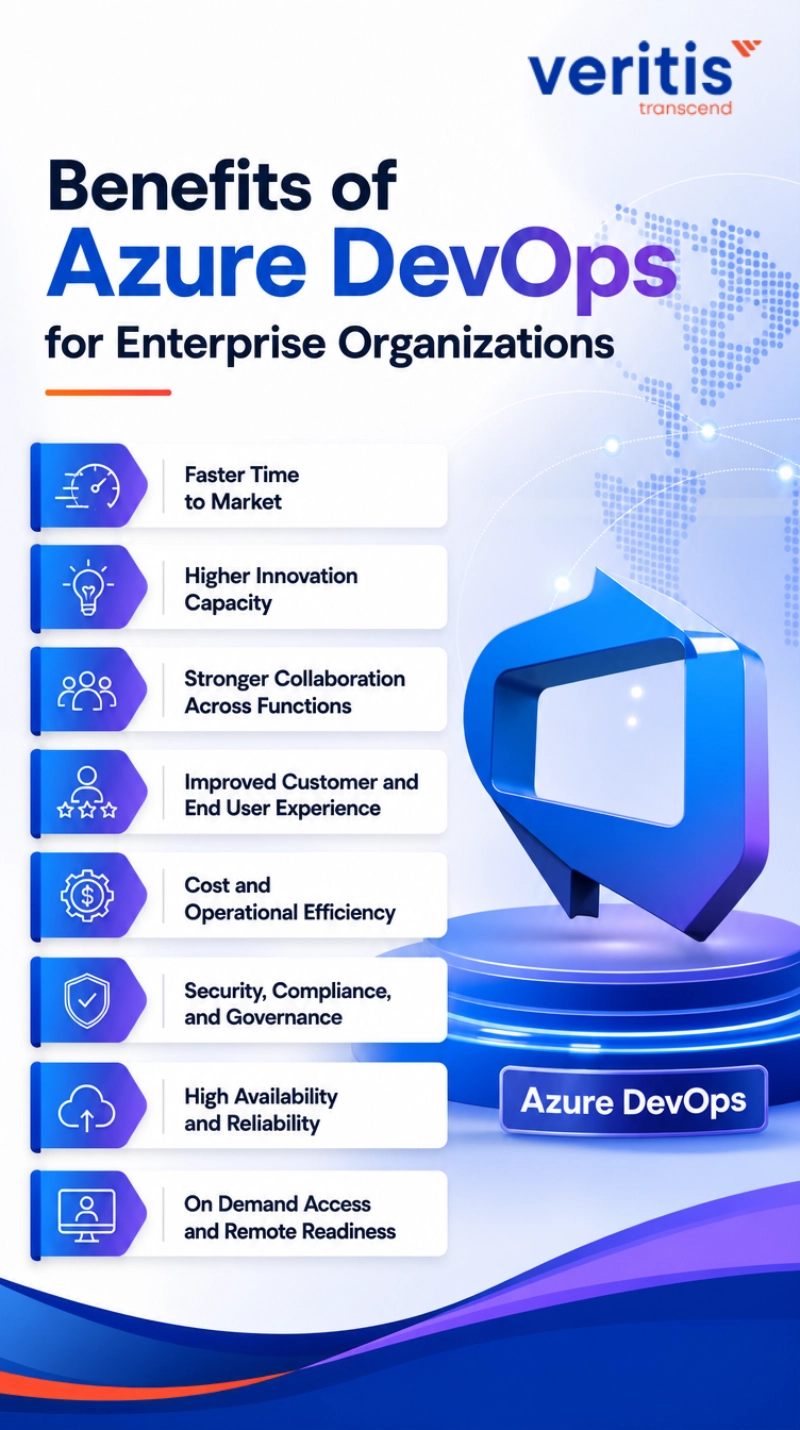
The benefits of adopting a structured DevOps approach are well documented. Azure DevOps operationalizes those benefits inside a governed, scalable platform. Here is how each benefit translates to enterprise outcomes.

1) Faster Time to Market

CI/CD pipelines automate build, test, and deployment steps that previously required manual handoffs between teams. Release cycles that took weeks compress to days or hours. For a product team competing in a fast moving market, that compression is a revenue opportunity, not just an engineering metric.

2) Higher Innovation Capacity

When engineers spend less time on integration failures, environment inconsistencies, and manual processes, they redirect that time toward building. Azure DevOps automation removes toil, allowing teams to focus on product differentiation. The organizations that lead their sectors typically invest their engineering capacity in innovation rather than infrastructure maintenance.

3) Stronger Collaboration Across Functions

Azure DevOps unifies development, QA, and operations in a shared environment. Work items, code, pipelines, and test results are visible to every stakeholder. That transparency reduces the coordination overhead that slows cross functional programs and surfaces risks earlier in the delivery cycle. Teams that track the right DevOps metrics alongside these collaboration tools make better decisions about where to invest.

4) Improved Customer and End User Experience

Faster, more reliable delivery translates directly to product quality. A recent industry survey found that more than 70 percent of companies reported improved customer experience after implementing DevOps practices. Fewer defects reaching production, faster incident resolution, and more frequent feature delivery all contribute to higher customer satisfaction and retention.

5) Cost and Operational Efficiency

Microsoft manages infrastructure security, backups, updates, and server maintenance for Azure DevOps Services. Organizations running Team Foundation Server on premises bear those costs themselves. Moving to Azure DevOps Services eliminates that overhead and converts a fixed capital cost into a predictable operational expense. The platform’s pay as you go model allows teams to scale agent pools and storage as demand changes rather than provisioning for peak capacity year round.

Cost discipline requires governance. Implementing quota based access, automating pipeline triggers to run only when necessary, monitoring repository size, and removing inactive user licenses are all practices that prevent spending from outpacing the value delivered.

6) Security, Compliance, and Governance

Azure DevOps holds compliance certifications including ISO 27001, SOC 1, SOC 2, and HIPAA BAA. Role based access control enforces the principle of least privilege across all services. Audit logs and work item traceability satisfy the evidence requirements for regulated industries. Security tasks embedded in pipelines, including code scanning and secrets detection, shift compliance left rather than treating it as a post deployment concern.

7) High Availability and Reliability

Microsoft’s service level agreement guarantees 99.9 percent uptime. Azure DevOps manages deployments across multiple instances and supports compliance across environments, reducing the time engineering teams spend on stability work and enabling more time for feature delivery.

8) On Demand Access and Remote Readiness

Azure DevOps is browser based and accessible from any device and location. Organizations with distributed teams, multiple offices, or remote first policies benefit from a platform that imposes no geographic constraints on collaboration or deployment authority.

Development Environment Integration

Azure DevOps integrates with the tools developers already use. Visual Studio, Visual Studio Code, Eclipse, and IntelliJ all connect natively. GitHub integration is first class, allowing organizations to use GitHub repositories while leveraging Azure Pipelines for CI/CD and Azure Boards for planning. Service hooks push notifications to Slack, Microsoft Teams, and other communication platforms, keeping teams informed without leaving their workflow tools.

This level of integration is one reason enterprises with existing toolchain investments choose Azure DevOps over greenfield alternatives. The platform meets teams where they are rather than requiring them to rebuild their workflows from scratch.


Useful link: Azure DevOps Services: Plan Smart, Build Fast, and Execute at a New Speed


Managing Risk in an Azure DevOps Adoption

Azure DevOps rewards a structured approach to adoption. Organizations that attempt to deploy all five services simultaneously without governance frameworks typically encounter unoptimized pipelines, inconsistent access controls, and cost overruns. A phased DevOps implementation strategy that starts with high value services, establishes policies early, and expands incrementally produces more durable results.

Pipeline performance deserves specific attention. Parallel job execution, build caching, and test suite optimization can significantly reduce build times and the associated compute costs. Teams that treat pipeline design as an engineering discipline rather than a configuration task consistently achieve better outcomes.

Security configuration requires similar rigor. Organizations should enforce secrets management through Azure Key Vault integrations, conduct regular access reviews, and implement automated compliance checks within pipelines. The evolution of DevOps tooling has made these practices more accessible, but they still require intentional design. 

Azure DevOps Services vs Azure DevOps Server

Azure DevOps is available as a cloud hosted service or as a self hosted server installation. Azure DevOps Services, the cloud option, offloads infrastructure management to Microsoft and provides automatic updates and elastic scaling. Azure DevOps Server, the on premises option formerly known as Team Foundation Server, gives organizations direct control over their data and network boundaries, which is relevant for highly regulated environments with strict data residency requirements.

For most enterprise organizations undergoing modernization, cloud services offer a better cost and capability profile. Those with specific compliance or sovereignty requirements may find the server option more appropriate during a transitional period before full cloud adoption. 

Conclusion

The benefits of Azure DevOps are most fully realized when the platform is adopted with a clear governance framework, a phased rollout plan, and active cost management. Enterprises that treat Azure DevOps as a strategic delivery platform rather than a collection of tools consistently achieve faster release cycles, lower operational costs, stronger compliance posture, and better engineering team performance.

Veritis helps enterprise organizations design and implement Azure DevOps environments that are secure, cost efficient, and aligned with business delivery goals. If your organization is evaluating Azure DevOps or looking to optimize an existing implementation, connect with our team to discuss your specific requirements.

Talk to Our Azure DevOps Expert

FAQs About Benefits of Azure DevOps

Azure DevOps accelerates software delivery through CI/CD automation, improves cross functional collaboration through shared tooling and dashboards, enforces security and compliance within pipelines, and reduces operational overhead by offloading infrastructure management to Microsoft.

Both support CI/CD, but Azure DevOps offers a broader suite, including work item tracking (Azure Boards), package management (Azure Artifacts), and test management (Azure Test Plans). GitHub Actions is tightly coupled to GitHub repositories. Many enterprises use both together.

Yes. Azure DevOps holds ISO 27001, SOC 1, SOC 2, and HIPAA BAA certifications. Its audit logs, role based access controls, and pipeline embedded compliance checks support the governance requirements of financial services, healthcare, and government sectors.

Yes. Azure Pipelines supports deployments to AWS and Google Cloud Platform in addition to Azure. The platform is cloud independent by design.

Azure DevOps Services is cloud hosted and managed by Microsoft. Azure DevOps Server is installed on premises and managed by the organization. The cloud service provides automatic updates and elastic scaling; the server option gives organizations direct data control.

Discover The Power of Real Partnership

Ready to take your business to the next level?

Schedule a free consultation with our team to discover how we can help!