
Cloud security protects data, applications, identities, and infrastructure hosted in cloud environments. It combines policies, technologies, and operating practices to reduce unauthorized access, data exposure, and service disruption.
Cloud is one of the technologies being adopted faster than ever. With the cloud being one of the preferred technologies by companies worldwide, threat actors have realigned their attack strategies and have started targeting cloud IT solutions.
Cloud security follows a shared responsibility model. Providers secure the infrastructure and service components they operate. Customers remain responsible for protecting the data, identities, configurations, and workloads assigned to them. The exact division depends on the cloud service and agreement.
| Cloud service model | Typical Provider Responsibilities | Typical Customer Responsibilities |
| Infrastructure as a Service (IaaS) | Physical facilities, hardware, and virtualization layer | Operating systems, applications, identities, network rules, and data |
| Platform as a Service (PaaS) | Infrastructure and managed platform components | Application code, access, secrets, dependencies, and data |
| Software as a Service (SaaS) | Application operation and underlying service stack | User access, tenant settings, integrations, data sharing, and retention |
These are typical divisions, not a substitute for reviewing the specific service agreement. A secure cloud platform can still be exposed through excessive permissions, misconfiguration, or an unsafe integration.
Talk To Our Cloud Computing Consultant
Why is Cloud Security Important?
A group of rules, controls, procedures, and technologies come together to form cloud security, often called cloud computing security, to protect infrastructure, data, and systems hosted in the cloud. These cloud computing security solutions are set up to safeguard cloud data, assist with regulatory compliance, protect consumer privacy, and establish authentication policies for particular users and devices. In addition, cloud technology security can be customized to precisely meet the company’s requirements, from verifying access to traffic filtering.
Additionally, administration costs are decreased, and IT teams are given more freedom to concentrate on other aspects of the business because these rules can be created and handled in a single location. The particular cloud provider or the installed cloud computing security solutions will determine how cloud security is delivered.
Strong cloud computing security is crucial for companies moving to the cloud. Cloud security helps organizations protect sensitive information, maintain service availability, meet applicable requirements, and manage risk as their environments change. Provider certifications can support due diligence, but they do not prove that a customer’s configuration or use of the service is secure or compliant.
Useful link: Cloud Security Automation: Best Practices, Strategy, and Benefits
Benefits of Cloud Data Security

1) Unified Security
Cloud security is centralized in the same way cloud computing is centralized regarding apps and data. Managing the numerous devices and endpoints that comprise networks can be challenging when dealing with Bring Your Own Device (BYOD) or Shadow IT. However, monitoring network events is simplified, traffic analysis and web filtering are enhanced, and software and policy upgrades are fewer due to centralized management of these entities. Disaster recovery plans can be readily created and executed when handled in one location.
Centralized visibility can help teams identify cloud assets, review access, monitor configurations, and coordinate responses. It is most effective when each critical resource has an owner and findings are routed to teams that can resolve them
2) Better Cost Management
One advantage of using cloud computing security services and storage is that it eliminates the need for specialized hardware, thereby lowering administrative costs and capital expenses.
Cloud services can reduce some infrastructure and administrative costs, but savings are not automatic. Organizations should account for security tools, log storage, data transfer, licensing, and the staff needed to operate controls.
3) Reduced Administration Effort
Centralized policies and automation can make security administration more consistent and reduce repetitive manual work. The provider’s responsibilities vary by service, so customers still need to manage their own identities, data, workloads, and configurations.
Useful link: How to Enhance Security in the Multi Cloud Era
What are the Principal Cloud Computing Security Considerations?

Before choosing controls, inventory cloud accounts, workloads, data stores, and integrations. Classify sensitive data and assign an owner to each critical service so that teams know what they are protecting and who is responsible.
1) Data in Transit Protection
This is the first rule. Your cloud data should be sufficiently protected against tampering and eavesdropping as it travels across networks, both inside and outside the cloud. To achieve this, you should combine encryption, service authentication, and network level security measures. This is crucial for mitigating cloud security risks and addressing concerns about data integrity and privacy.
Use supported encryption protocols and authenticate services that exchange sensitive information. Store application secrets and encryption keys in appropriate managed services, and restrict who can use or administer them.
2) Asset Resilience
Your data and stored or processed assets should be safeguarded against physical manipulation, loss, damage, or seizure. In addition to mitigations such as encryption, cloud data center security, secure erasure, and service resilience, protections should also encompass the laws to which your data is subject.
Protect against logical deletion as well as physical failure. Separate backup administration from production access, define recovery time and recovery point objectives, and test that critical applications can be restored. Replication can improve availability, but it is not a substitute for a recoverable backup.
3) Operational Security
Operational Security is pertinent. The cloud service must be administered and managed securely to detect, prevent, or mitigate attacks. Effective vulnerability management, protection monitoring, configuration and change management, and incident management will be used to accomplish this.
Operational security also includes least privilege for employees and service accounts, timely software updates, protected audit logs, and incident procedures for revoking access, rotating credentials, isolating workloads, and preserving evidence.
4) Supply Chain Security
The cloud security provider should ensure its supply chain meets the cloud infrastructure security requirements it sets for its own operations. This applies to situations where a third party has access to client data or the service or the provider relies on a third party, for instance, when buying hardware and software.
Review third party integrations, support access, and managed services as part of the cloud supply chain. Limit each integration’s permissions, establish who owns its credentials, and define how access will be revoked if the service is compromised or no longer needed.
Useful link: What are the Types of Cloud Computing Services?
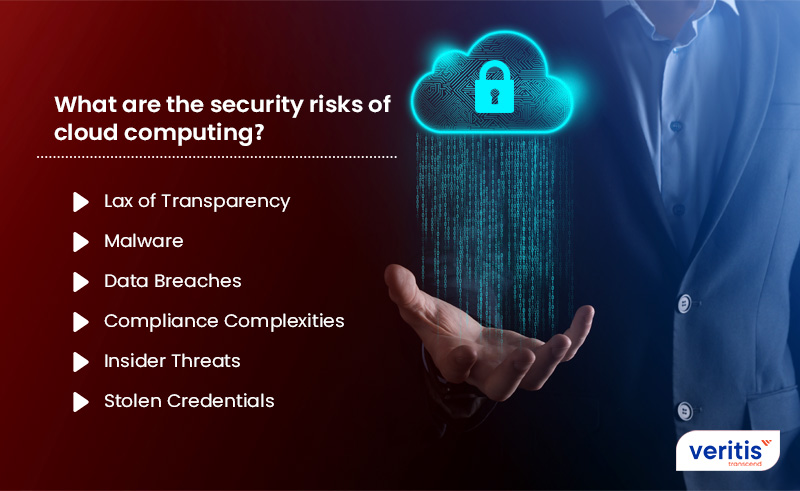
What are the Security Risks of Cloud Computing?
The lack of different perimeters in public cloud data security creates a fundamentally different security reality. Furthermore, adopting contemporary cloud strategies like automated Continuous Integration and Continuous Deployment (CI/CD) techniques, distributed serverless architectures, and transient assets like Functions as a Service and containers makes this even more difficult.
1) Lack of Visibility
In the IaaS model, the infrastructure layer is entirely under the control of the cloud providers and not made available to the clients. The PaaS and SaaS cloud models extend this lack of visibility and control. Customers using the cloud frequently struggle to visualize their cloud environments or accurately identify and measure their cloud assets. This introduces significant cloud computing security risks and concerns.
Provider infrastructure visibility and customer environment visibility are different. Maintain an inventory of cloud accounts, workloads, identities, and exposed services, then collect the audit logs available for each service.
2) Malware
Cloud security providers have attempted to incorporate all the essential security methods to protect your data. But cybercriminals have also improved!
Malware can reach cloud workloads through vulnerable applications, compromised credentials, malicious dependencies, or infected deployment artifacts. Scan software and restrict workload permissions to reduce exposure.
3) Data Breaches
Brands also expose their data more by ceding some of their control to the CSP (Cloud Service Provider).
Data exposure can result from misconfigured storage, excessive access, vulnerable applications, or compromised integrations. Encryption helps protect confidentiality, but it does not prevent an authorized account from accessing data its permissions allow.
4) Compliance Complexities
Cloud computing security solutions are expanding at a breakneck rate. Therefore, you must ensure that the cloud security providers match your data access and storage demands with the necessary privacy and security guidelines. These cloud computing security concerns are complex and evolving, posing potential risks for businesses if not properly managed.
Map applicable requirements to specific controls, owners, and evidence. Review provider assurance reports for scope and exclusions, and confirm that the organization’s own configurations and data handling meet its obligations.
5) Insider Threats
Insiders who misuse their permitted access to the company or CSP’s networks, systems, and data, such as employees and administrators, are uniquely positioned to cause harm or exfiltrate information.
Insider risk can be deliberate or accidental. Use separation of duties, periodic access reviews, time limited privileged access where practical, and monitoring for unusual administrative activity.
6) Stolen Credentials
Assuming an attacker gets a user’s cloud credentials, the attacker can target the company’s assets and utilize the CSP’s services to supply extra resources (if the credentials allow such access).
Stolen passwords, session tokens, API keys, and application secrets can provide access to cloud resources. Use multifactor authentication, protect account recovery, favor short lived credentials for workloads, and revoke active sessions and tokens during response.
Useful link: What You Should Know About Containers Threats in Cloud Computing
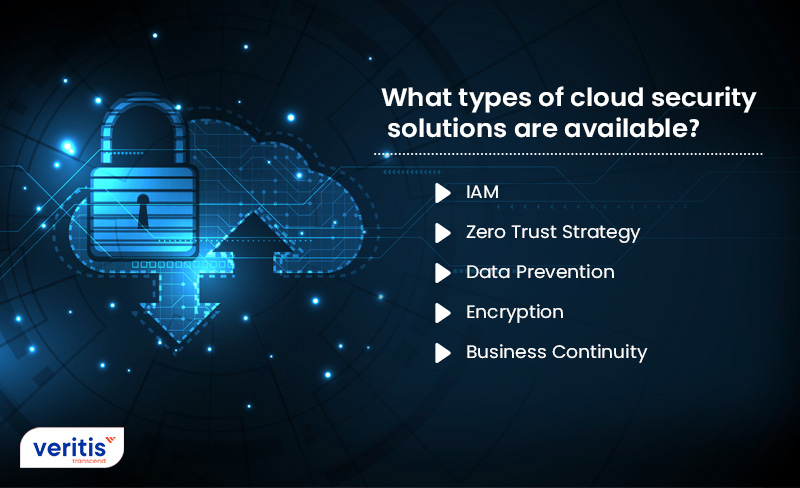
What Types of Cloud Security Solutions are Available?
Cloud security requires a combination of controls. Select tools based on the risks and responsibilities they address, and assign an owner to act on their findings.
1) IAM (Identity and Access Management)
Apply least privilege to human and nonhuman identities, require strong authentication for privileged access, review permissions regularly, and remove access when it is no longer needed. IAM best practices for cloud security can help guide implementation.
2) Zero Trust Strategy
A Zero Trust strategy does not grant implicit trust based only on network location. It verifies identities, evaluates access requests, and limits permissions to the resources and actions required. It complements, but does not replace, patching, monitoring, backups, or incident response.
3) Data Loss Prevention
Data loss prevention (DLP) tools can identify sensitive information and apply rules to its sharing, movement, or use. Test policies against legitimate workflows to reduce accidental exposure without blocking necessary business activity. DLP complements access controls and encryption.
4) Encryption
Encrypt data in transit and at rest, and define who can use, administer, rotate, and recover encryption keys. Protecting the keys is essential to protecting the data.
5) Business Continuity
Data breaches and disruptive disruptions can still happen despite the precautionary precautions enterprises have in place for their on-premise and cloud based infrastructures. Enterprises must respond rapidly to newly identified vulnerabilities or significant system failures. Disaster recovery solutions are a cornerstone of cloud security, providing businesses with the tools, services, and standards necessary to quickly recover lost data and resume operations, even in the face of significant cloud computing security threats and issues.
Identify critical services and their dependencies, define recovery objectives, maintain protected backups, and test full application restoration. A successful backup job alone does not prove that a business service can be recovered.
Case Study: Cloud Computing Services to the Education Sector
An academic institution collaborated with Veritis, a company well versed in the distinct demands of the education sector, to transition to cloud computing. The institution faced challenges related to data privacy, managing user access, and ensuring secure collaboration in remote learning environments. Veritis addressed these issues by deploying a robust cloud infrastructure featuring role based access controls, data encryption, and compliance focused configurations. These solutions were specifically designed to meet the needs of the education sector, resulting in improved system reliability and data security. The successful implementation highlighted Veritis’s ability to deliver sector specific cloud solutions that strike a balance between strong security and seamless performance and accessibility.
The complete case study is available here: Cloud Computing Services to the Education Sector.
How Should You Approach Cloud Security?
Cloud security should adapt as workloads, users, and business requirements change. A practical approach is to:
1) Define requirements. Identify sensitive data, critical services, access needs, recovery objectives, and applicable obligations.
2) Confirm responsibilities. Review the provider’s service terms and document which controls belong to the provider, the customer, or both.
3) Establish a secure baseline. Configure identity, permissions, encryption, logging, and backups before moving sensitive workloads.
4) Monitor and test. Review changes and access, investigate findings, and test recovery and incident response procedures.
Veritis helps organizations assess cloud security responsibilities, strengthen cloud environments, and align implementation with business requirements. Talk to a Veritis cloud computing consultant about your cloud security needs.